 WorkFlow
Overtime tracker app: your hours balance keeps itself
WorkFlow clocks you in and out at your workplace automatically and works out every day against your target. Your overtime balance for flexitime or an hours account is always ready, without spreadsheets, without an account, on your Android phone.
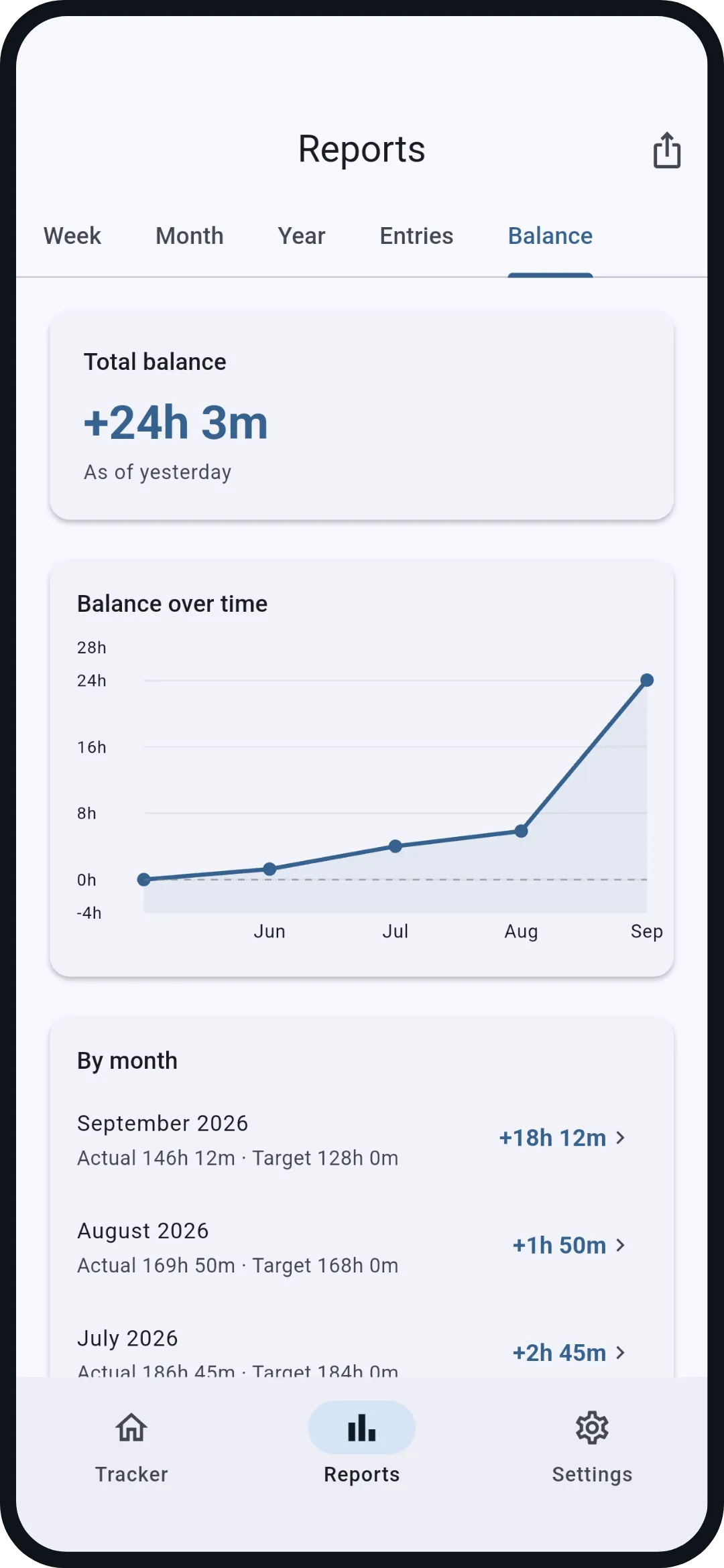
A balance against your own target.
Set once on which weekdays you work how many hours and which break comes off. WorkFlow works out every day against that target and keeps your hours account from it, as a number, as a curve and month by month with actual and target.
- Target and break per weekday, also for part-time or a short Friday
- Enter a starting balance when you bring hours from another system
- The balance counts settled days up to yesterday; the Net today tile shows the running day against its target
- On Friday evening a weekly summary as a notification, if you want it
Vacation, sick days, holidays: no minus.
Mark a day as vacation, holiday, sick day or other and WorkFlow lowers that day's target. A day off never turns into a minus. Home office keeps the full target; you enter the hours, and the app offers the entry right away.
- Enter vacation as a whole period at once
- The yearly report counts your vacation days against your allowance
- With WorkFlow Pro: import the public holidays of your canton or state (CH, DE, AT) with one tap
Tracked automatically, editable by hand.
Arrive at your workplace and WorkFlow clocks you in, leave and it clocks you out. This runs on Android's geofencing, with the app closed too, at up to five workplaces. You can clock by hand at any time, add entries afterwards and correct every day.
- Manual entries and corrections, also days later
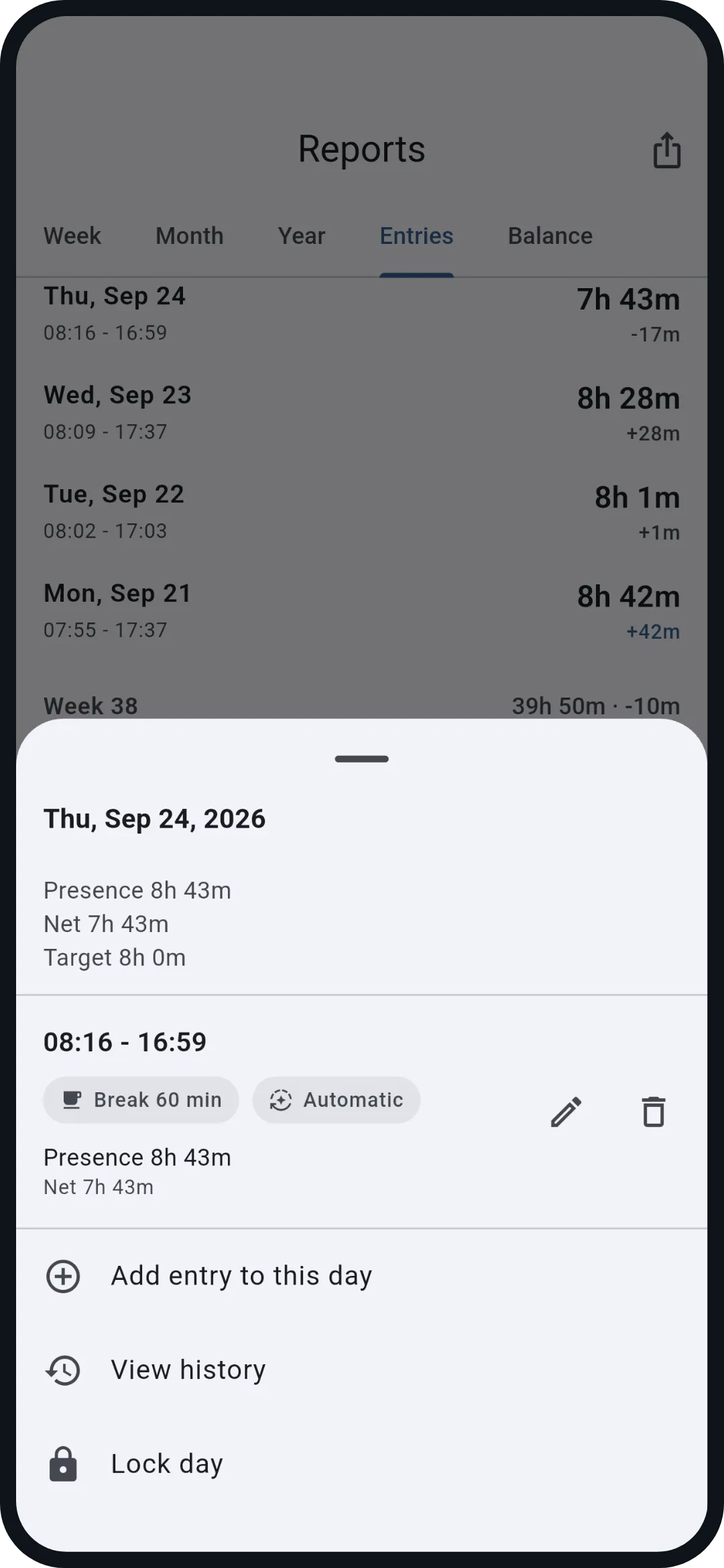
- Automatic and manual entries stay distinguishable, corrections are logged
- Lock finished days so nothing shifts any more
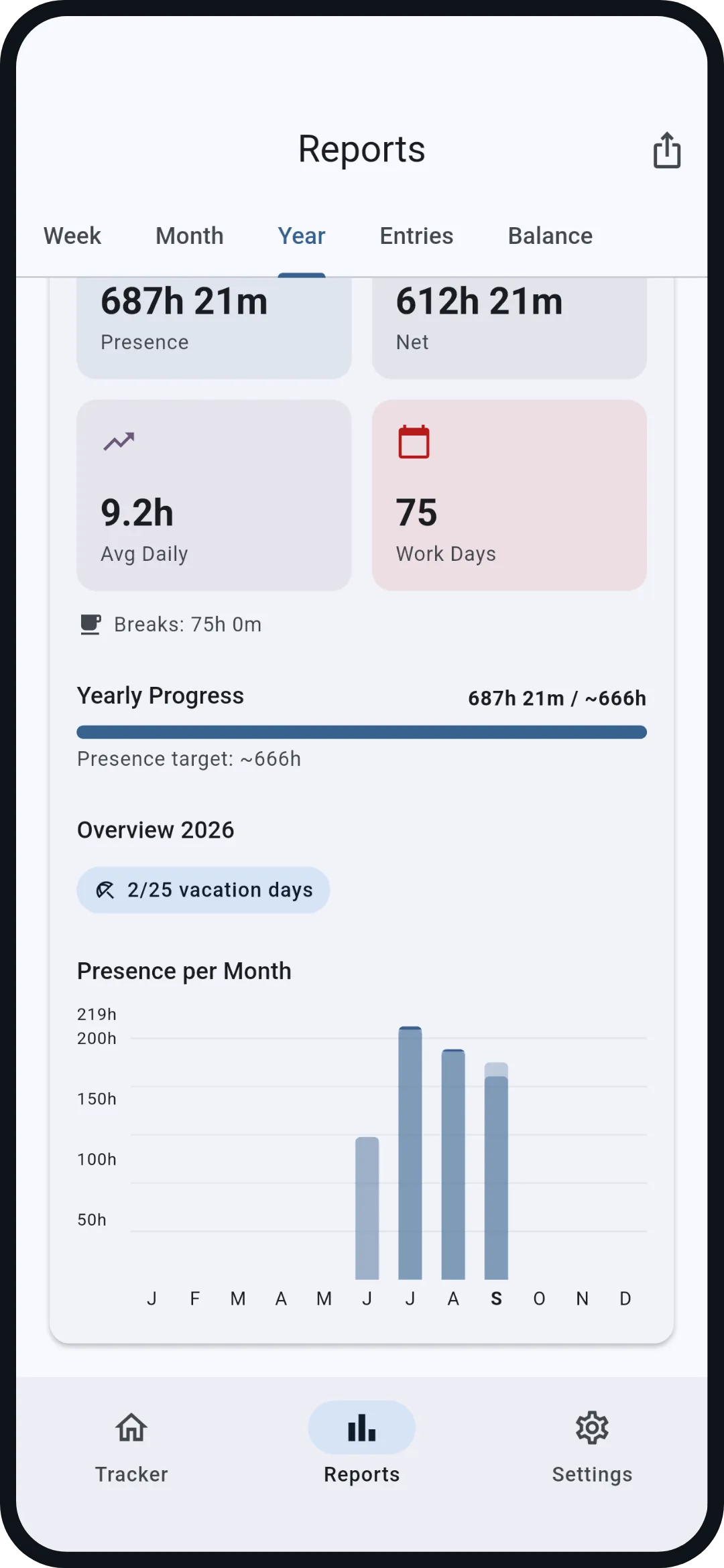
Week, month, year.
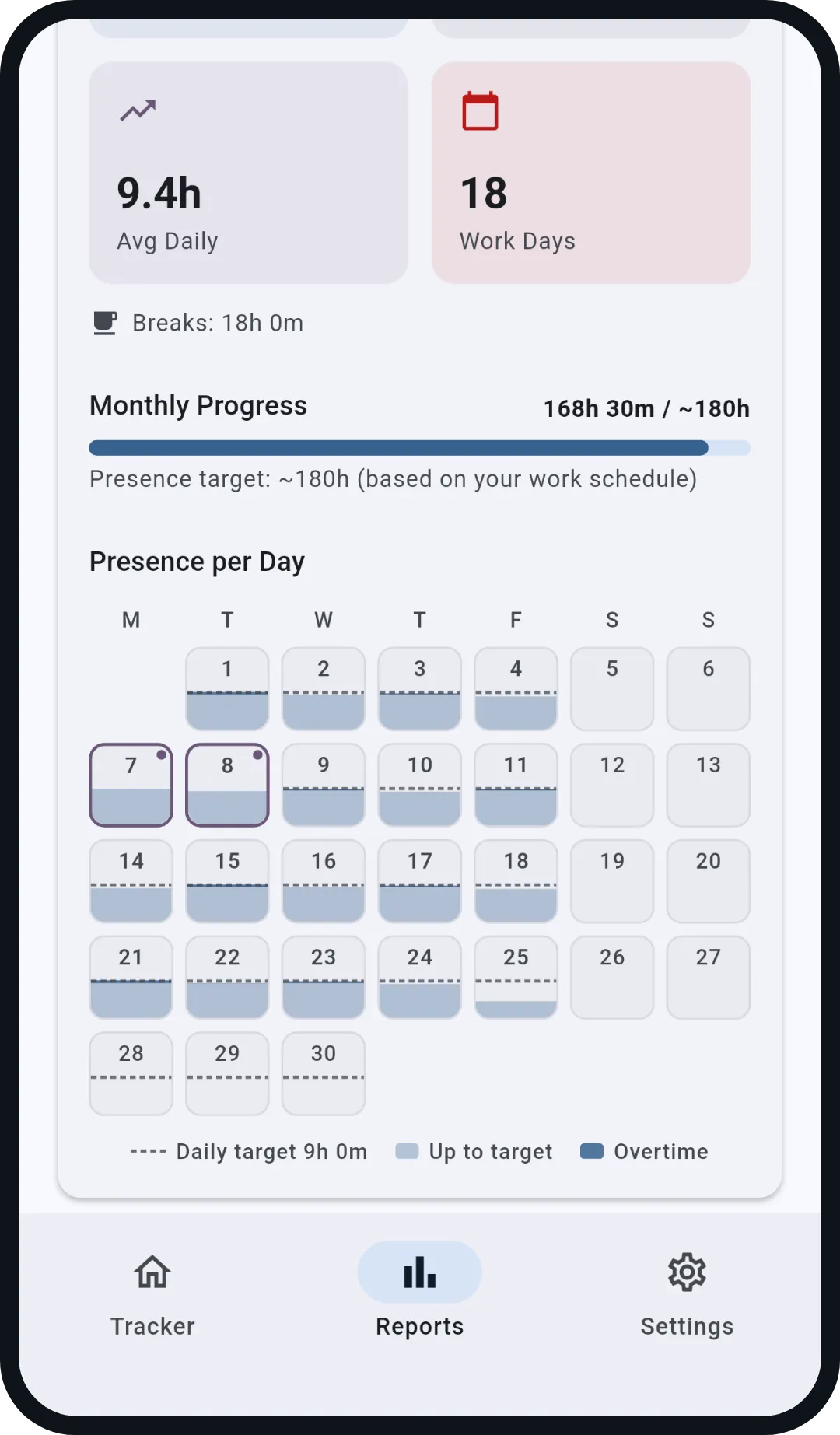
The week as bars against the daily target, the month as a calendar with a fill bar per day, the year with the presence per month. The same logic everywhere: what lies above the target is plus.
- Presence, net, breaks and average per period
- Progress against the target from your schedule
- Past weeks and months with a swipe
Prove your overtime.
One tap and the month is a timesheet PDF with actual, target, difference and signature lines, your name and employer on it. Or a CSV for Excel and accounting. Everything is created on the phone, and you share it yourself.
- Timesheet per month or a report for any period
- CSV for further processing
- Backup as a file for moving to a new phone
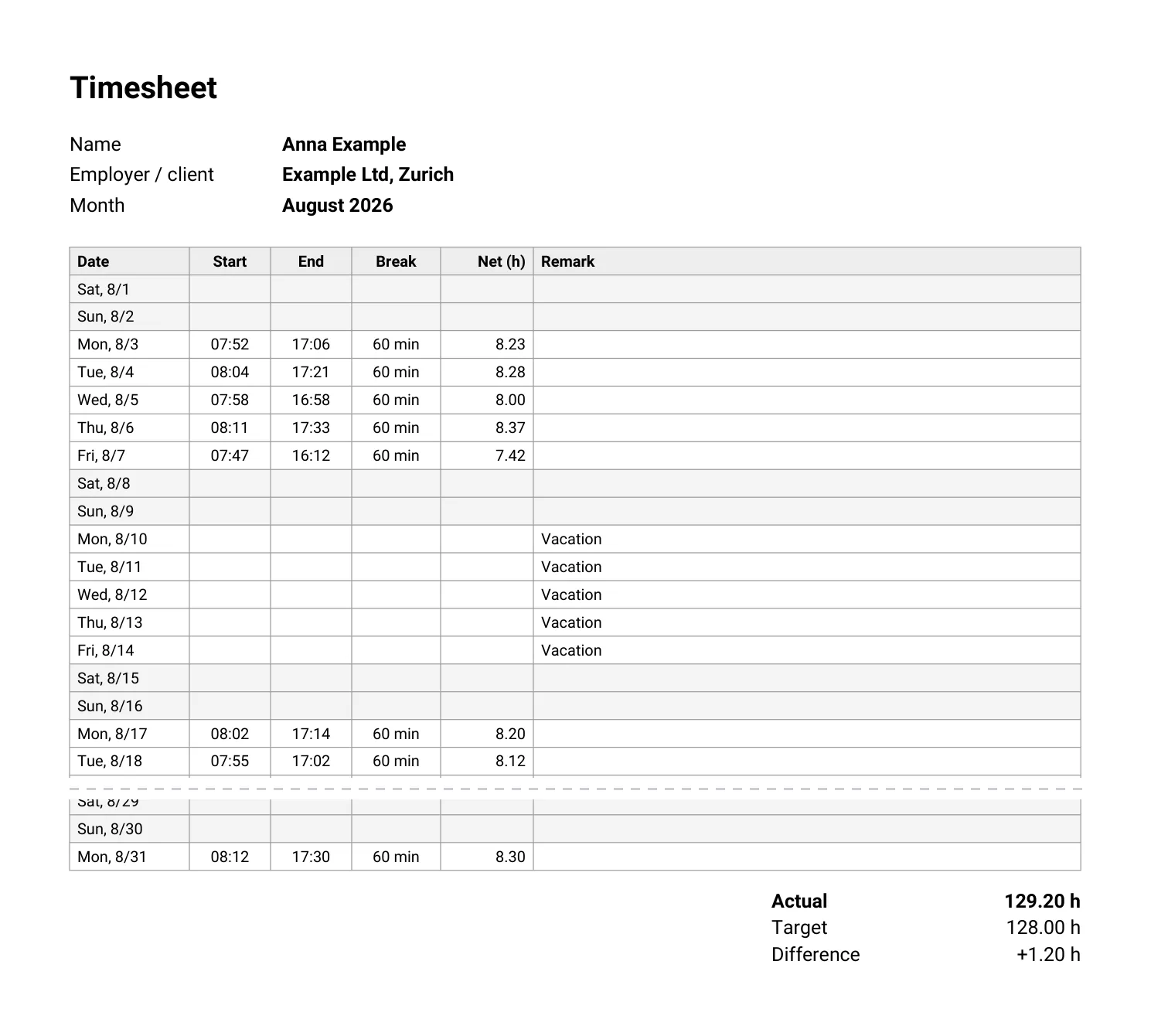 Open the sample timesheet PDF →
What Pro adds.
Everything above is free. WorkFlow Pro is an optional one-time purchase for anyone who wants more from their hours account, free to try for 14 days without payment details.
- ProImport public holidays for CH, DE and AT
- ProExcel export and timesheets across several months
- ProHeader with company, personnel number and logo on the timesheet
- ProFile the timesheet automatically at month end
- ProAutomatic backups into a folder of your choice
- ProMonth widget and your own colours
No subscription. What the free app does stays free.
Rather work it out by hand?
For a single week or day you do not need an app: the calculators work out your times against the target, the templates keep them on paper.
Overtime calculator →Work hours calculator →Timesheet templates →
Short answers.
What happens to negative hours?
If a day stays below its target, the balance drops by the difference; a day above it raises the balance. Negative hours appear with their sign in the balance and on the timesheet. How plus and minus hours are settled is up to your contract and your workplace, not the app.
Does work on a Saturday count?
Yes. If Saturday is not a work day in your schedule, its target is zero and all your net time that day counts as plus (time at work minus the break you set for Saturday). The same goes for any other day off.
Can I start with an existing balance?
Yes. Enter your starting balance in the settings, for example the hours from your employer's system, and if you like the date from which WorkFlow should count. Days before it then stay out of the balance.
Do I need the automatic clocking?
No. You can clock in and out by hand or add times afterwards; the balance treats every entry the same. Automatic clocking needs background location access, and reports can be delayed by a few minutes.
Can my employer see my hours?
No. WorkFlow has no server and no account; your times live only on your phone. You share the timesheet as PDF or CSV yourself, if you want to.
What does the overtime tracker cost?
Nothing. Clocking, the balance, special days, reports and the export as PDF and CSV are free, with no ads and no subscription. WorkFlow Pro is an optional one-time purchase with extra features.
Set it up today, and your hours account runs from tomorrow.
Free, no ads, no account. Your hours stay on your phone.